
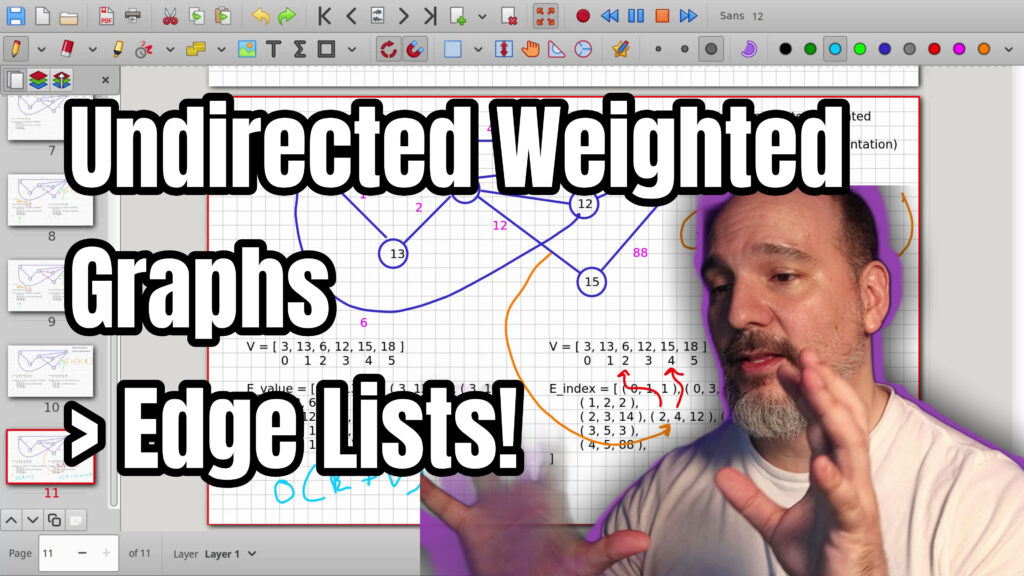

In the last video we talked about representing an unweighted and undirected graph using the edge list representation inside your machine. Now let’s talk about how to do that exact same thing with undirected weighted graphs.
We start from the previous diagram and add weight costs on every single edge. The graph is a tuple consisting of a vertex list and an edge list. Vertices are listed from left to right. Edges are stored as triples with starting node, ending node, and weight.
We build the edge list by scanning nodes left to right so each undirected edge appears only once. Then we convert the representation to use indexes instead of node values. This lets you jump to any node in constant time when using a vector or array for the vertex list.
This makes operations on edges and nodes much faster than linear scans for both. Next up: directed graphs, both unweighted and weighted.
0:00 Introduction to Weighted Graphs
1:00 Adding Edge Weights
3:16 Creating the Vertex List
5:19 Building the Edge List
10:34 Completing the Value-Based List
10:44 Why Value-Based Is Slow
13:04 Converting to Index-Based
15:29 Benefits of Index Lookups
17:49 Wrap-Up and Next Videos
18:22 Thank You and Outro
=-=-=-=-=-=-=-=-=
Thanks for watching!
Find us on other social media here:
- https://www.NeuralLantern.com/social
- Twitter / X: https://x.com/NeuralLantern
- Rumble: https://rumble.com/c/c-3696939
- BitChute: https://www.bitchute.com/channel/pg1Pvv5dN4Gt
- Daily Motion: https://www.dailymotion.com/neurallantern
- Minds: https://www.minds.com/neurallantern/
- Odysee: https://odysee.com/@NeuralLantern:5
Please show your support!
- Buy me a coffee: https://ko-fi.com/neurallantern
- Subscribe + Sharing on Social Media
- Leave a comment or suggestion
- Subscribe to the Blog: https://www.NeuralLantern.com
- Watch the main “pinned” video of this channel for offers and extras
Hey there! Hello there. Hey there. In the last video we talked about representing
an unweighted and undirected graph using the edge list representation inside your
machine. Now let’s talk about how to do that exact same thing with undirected
weighted graphs.
seeing on the screen right now is basically the last diagram that I drew on my previous video
where we talked about how to represent unweighted undirected graphs in the machine. You don’t
necessarily need to watch that video to understand this video but you probably want to watch a few
of my other previous graph videos to know the basics of graphs and edge lists and edge-based
paths and node-based paths and all that stuff. So for now I’m just going to continue from this
document. So let’s see, I’m going to duplicate
I’m going to duplicate this real fast I am going to just kind of modify the captions here because
we’re not going to do unweighted anywhere we’re going to say a weighted undirected graph did I
get that backwards I think sometimes people say undirected and then the weighted part after so
I’m just going to I’m just going to change it so it’s still undirected which means the edges don’t
have arrows so that’s fine but it’s going to be weighted now which means I have to assign a cost
of traveling along every single edge.
So I am going to just
so i am going to just sort of like erase a bunch of this stuff real fast erase these notations
uh you know what i’m going to erase all of this because i want you to you know see it
from start to finish okay so now i’m going to add weight costs on every single edge
um in the last video what i mentioned is that the the edge list representation of a graph in
the machine uh is basically your graph is a tuple that’s the orange you know marking
a tuple that’s the orange you know markings up here your graph is a tuple where the tuple consists
of a vertex list and also an edge list so we’ll do that from scratch together again but um let
me get the weights on there first what color do you want i don’t know i’m going to put arbitrary
numbers on all the edges just to say that every edge has a cost remember in a graph when you
travel along an edge if the edge has a weight then you consider that weight to be part of the cost
usually of traveling there so like if this was a network diagram
traveling there so like if this was a network diagram maybe these weights represent pings or
lags or bandwidth cost or something like that if this is like an airport diagram maybe the weights
represent gasoline or time or something like that so i’m going to do like four there we can repeat
weights if we really want to i’m going to line this up a little bit better that 12 looks gross
okay i think we’re okay now i have 14 all right did i forget anything raise your hand if i forgot
something
raise your hand if i forgot something oh i forgot okay did you raise your hand okay
i’m going to do the 13 and 6 uh let’s just put a 2 weight there you could put ones everywhere
if you wanted to i mean any any number is fine um also in an unweighted graph you kind of can
consider the number of hops to be a path cost which means you can kind of consider every uh
edge to just have a weight of one but for now we’re just gonna say this is the weighted graph
Okay, so the first…
okay so the first thing we need to do uh after that is make a vertex list so our vertex list
is just going to be a list of all of our vertices all of our nodes in the graph
how do we list them so for starters like we usually say vertex list but for me personally
this this particular data structure just that we’re going to type up on the bottom
i usually like to consider that a vector or an array at least because you can jump into a
Thank you.
uh because you can jump into a specific index in constant time which is really really fast if you
don’t know uh big o and time complexities check out my other videos but um it’s just really really
fast to jump to an index when you’re using an array or a vector but it’s kind of slow when
you’re using an actual linked list or some other data structure that makes you scan through it so
i’m going to say that my vertex list is actually a vector but i’ll keep calling it a list anyway
so we got the vertices uh we have to start naming them okay so the first thing is i’m going to do
we got the three there and we got the 13 and we got the 6 and the 12 and the 15 i’m just naming
all of the nodes in my graph i like to go from left to right because that makes it easier for
me to debug what i’m doing um you probably in your code i said this in the last video you probably
don’t want to store the actual value in your vertex list you probably actually want to create
an object of type node or of type vertex and give it the template data
and give it the template data type of in this case integer and then set the 13 inside of the class
it’s not as fast and memory efficient as just putting a number there but uh you know for me
i like more flexibility and i like to be able to do more powerful things with my stuff so i’m going
to say that 13 and all of the other nodes really that represents to me i made a brand new instance
of a class called node or vertex and then i set it up however i wanted and one of the things i did
set it up, we’ll stick to number 30.
things i did to set it up we’ll stick the number 13 inside of the class but for the for the diagram
it’s fine like this okay so we have our vertex list that’s the v if you’re looking at the uh
you know the v comma e the v part now we need to do the edge list so i’m going to say here’s my
edge list and we’re going to use the edge list representation like i talked about in previous
videos, which is basically a tuple where one tuple describes one edge. So in our
So, in our graph that we have right now, we definitely need a starting point and an ending point.
So, let me just start by looking at the 3 node, and I want to describe one of the edges for the 3.
So, the 3 goes to the 18 and the 13 and the 12.
I’m going to scan my eyes from left to right to make it a little more simple.
So, the 3 node, it connects to the 13 node, so I’m going to put a 3, 13.
the nodes doesn’t matter in an undirected graph so i could have easily put 13 and 3 it’s fine
you don’t want to duplicate it by putting 13 comma 3 sorry you don’t want to put 3 comma 13 and then
later put 13 comma 3. you don’t want to double it up because that would be like representing two
separate edges i’m just going to sort it in my mind before so that i don’t have to sort it again
later when i’m reading the graph which makes it faster for read operations but so 3 goes to 13
And then we have to represent the weight, so the tuple gets a little more complicated.
so the tuple gets a little more complicated than the last video just by a little bit i’m going to
say 3 comma 13 comma the weight which is just a 1 here and i think i mentioned this in my other
videos like a while back but uh the weight doesn’t have to be integer it could be a float it could be
any data type you wanted really as long as your algorithms support it and you have you know your
operator overloads all done and all that could be a full class just for the weight if you wanted to
but for this video it’s just going to be the weight is an integer so that’s the cost of
traveling
is an integer so that’s the cost of traveling along that one edge so notice how all of our
tuples have three items each it’s a triple tuple so i’m going to continue trying to represent uh
what the three touches so the three uh it touches the 13 and it also touches the 12 so i’m going to
say 3 goes to 12. what does that edge cost it costs us six because that’s the little pink six
there we’re done with that tuple so what else does three touch uh touches the 13 and then it touches
the
touches the 13 and then it touches the uh 12 and then it touches the 18. so i’m going to put an 18
there what does that edge cost it costs a four because there’s a pink little four at the very
top of the graph surprise you didn’t know that okay so then uh i’m sorry we’re going to move on
to the next node so we did the three already so i’m done with that i’m going to look at the 13.
where does the 13 connect it connects to the three but that’s to the left
because i’m this is why i like to scan my eyes from left to right i already know stuff on the
left is handled i don’t have to do it again so forget about the three i already described it
up here in the very first tuple three comma thirteen comma one i don’t want to describe it
again so forget about the three now the thirteen connects to the six so thirteen comma six and what
does that cost it costed two for our arbitrary labeling thirteen doesn’t touch any other node
so we’re done with the thirteen row and by the way i’m doing a line new lines here you don’t have to
to do that, I just
here you don’t have to do that i just like to i like to do one you know row per per start node
to make it look cooler and nicer okay so the uh 13 is done now let’s do the six
six touches the 13 but remember in the previous row we just handled that so i’m not going to do
it again the six to the right touches three other nodes you can see there are three lines
protruding on the right side of the six so um i’m just going to take those from left to right
It’s.
I’m just going to take those from left to right.
It’s touching the 12 at a cost of 14.
The 6 is also touching the 15 at a cost of 12, I think.
And the 6, you know, if I make mistakes, just leave it in a comment.
I will leave the video up so you can always remember my humiliation.
But I’m going to try my best.
I did not practice this.
6 touches the 15, and then the 6 touches the 18.
So 6 touches 18, and then it costs 9.
So now we’re probably done with the 6.
we’re probably done with the six um moving on uh one node to the right now we’re going to look at
the 12 okay so the 12 it touches 3 and 13 and 6 but those are already handled so forget it
the 12 touches the 15 we did not handle that right yeah because we’re going from left to right
uh and and then it costs us from going from 12 what am i doing it doesn’t touch the 15 oh my god
so the 12 touches the
uh so the 12 touches the uh the three which is already handled and it touches the
six which is already handled and then it only goes to the right to the 18. okay
anyway you know when i make mistakes on camera and i say do over i always go i don’t know why
so the 12 and the 18 uh it’s going to cost us three so then we’re done with the 12th so i’m
I’m going to go to the next one. We’ll look at the 15. The 15. 6 is already handled. 8.
6 is already handled, 18 is not handled yet, so I’m going to put 18 there, and it cost us $88, and then the 18 is the last one.
There’s nothing to do, because every node is on the left of the 18.
If you carefully, if you pause the video and look at every single node, you’ll see it’s already represented in a previous node.
So we’re officially done with the basic edge list representation of this graph, this undirected but weighted graph.
We need to do something else, though.
we need to do something else though i mentioned in the last video i’m going to repeat it in case
you didn’t watch the last video but we need to make sure that uh oh i guess i forgot to separate
those two things that means i have to duplicate the vertex list over here on the right side too
okay um so on the left this is okay but it’s kind of slow because what if we’re trying to look at uh
you know one particular edge let’s say that we we want to see what’s going on with this uh this
edge right here. Let’s say the 3 and the 13 edge, for whatever reason.
13 edge for whatever reason um i don’t know green 3 and the 13 edge okay so we’re looking at that
edge maybe for some reason we had just finished scanning uh maybe that’s not a fun edge well
what’s going on hello uh oh i forgot to set up a thing where you can make your cursor really
visible okay um actually so so this is not the most fun edge let me let me see about the 15 and
and 18-inch.
18 edge excuse me i had to take a drink of water so we’re going to look at this edge connecting
the 15 and the 18 node that’s a little more interesting so you can imagine maybe you were
doing a little scan uh if you know big o complexity by now we had to check out every single edge in
this edge list until we found the one that connected the 15 and the 18 so this was a linear
time scan based on the number of edges so this is just it’s scalable but it’s not very fast right so
We ended up kind of looking at this one.
so we ended up kind of looking at this one right here not fast um but what if we want to examine
uh some properties of the nodes or the vertices uh involved like the 15 and the 18.
here in this representation on the left we have the values we have the 15 value and the 18 value
we don’t really have a pointer to a full node object if that’s what you’re doing in your code
so um how do we get those those node objects we’re gonna have to do another linear scan we’re gonna
I’m gonna have to look at this one right here.
to look at this one right here oh that doesn’t match the value of 15 look at this one look at
this one look at this one we’re gonna have to scan every single node until we realize that it’s those
two at the end this is true even if it’s a vector uh holding your vertices because if we don’t know
the index then we have to actually just sweep through the whole vector so that’s really slow
it’s still kind of scalable but uh it’s not the best instead let’s update the the representation
on the right to have index
on the right to have indexes we did this in the last video but basically if you just kind of look
at this three node here the three node well let me let me copy this one more time the three node
corresponds to index zero which i forgot to write down my bad let me write that down for you real
fast get rid of that get rid of that get rid of that okay so i’m just going to update this vertex
list to just show you that if we have a vector or in a
that if we have a vector or an array then every single item has an index here’s index one index
two index three and four and five and then i guess i’ll just copy paste that to the other one since
i was too dumb to make an extra separated graph there um separated item okay so the uh the 15
sorry no the 13 the 3 and the 13 i guess i got to get rid of that that’s distracting me
I guess I gotta get rid of that, that’s distracting me.
The three and the 13,
those correspond to indexes zero and one
in the vertex list, right?
So zero and one, that’s the three and the 13.
So I’m just gonna change the values,
the T-type values, to the raw indexes.
It’s gonna seem a little weird at first,
and I’m gonna leave the weight alone,
because that’s totally fine.
We’re not gonna jump to a weight,
unless maybe you had a weight list, a weight vector,
if you wanted to make instances of weights.
You could do that, I’m not gonna do it.
do that i’m not going to do it so then again the 3 is a 0 the 12 is index 3 the 3 is another 0
the 18 is index 5. i’ll just do this for every single row so the 13 here is index 1 and then
the 6 index 2 notice how i’m just looking up here at the indexes of the vertex list and i’m just
changing the node values to the indexes where the nodes actually are in the vertex list so that’s a
So two.
vertex list so that’s a 2 and then the 12 is going to be a 3 and then the 6 is also going to be a 2
and the 15 is going to be a 4 and then the 6 is going to be a 2 and 18 is going to be 5
on to the next row the 12 node is index 3 the 18 node is index 5 uh the 15 node is index 4 and the
18 node is index 5 so whoa whoa correct me if i made a typo in the comments please i’ll release
another video as a thank you.
i’ll release another video as a thank you but uh now i’ve converted the whole entire representation
on the right side to an index based uh uh you know edge list so i’m gonna do this one over
here is by value and the one on the right is by index why is the one on the right better now
remember at some point we might have been scanning to find an edge well what did i just do wrong oh i
clicked over there okay we might have been scanning to find you know some edge so we’re like
Like, subscribe, and hit the bell icon to be notified when I post a new video. Thanks for watching, and I’ll see you in the next one.
Bye-bye.
edge so we’re like scanning scanning scanning scanning and then maybe we decide we’re trying
to figure out what’s going on with the two and the not the two and the four the uh the six and
the fifteen node right so that’s uh the six and the fifteen node that’s basically you know this
right here uh so now what if we want to do something with the nodes we want to do something
with the six node do something with the 15 node we don’t want to scan through the vertex list again
we don’t want to go scan scan scan scan scan that’s linear time that’s not as fast as it could
Could be.
That’s linear time, that’s not as fast as it could be.
So instead, we’ve already converted here so that we have indexes.
So if I look at the 2 and the 4, the 2 and the 4 represent indexes, not node values.
So this 2 tells me that I can go to index 2 to get the 6 node,
and the 4 tells me I can go to index 4 to get the 15 node.
Notice how I did not have to scan the vertex list to figure out where those nodes are.
And if you’re using a vector for your vertex list,
list then you can jump to every index in constant time so now if we were going to you know search
and do a bunch of stuff on edges we probably only had to spend linear time on the edge list but then
we only spent constant time uh to to manipulate each node whereas it would have been linear plus
linear uh in the past like on the left side that would have been uh you know if we’re going to do
stuff with with both the edges and the nodes it would have been o of linear time based on the
number of edges if we’re gonna do every
on the number of edges if we’re going to do every you know something to every single edge
plus linear time based on number of vertices but over here it’s going to be linear time of the
edges plus just constant time which basically means it’s going to be you know big o of just
the number of edges and i’m talking about a you know a fantasy scenario where we’re just going
to scan a bunch of stuff you can imagine there’s a whole bunch of different operations you could
do on a graph, and it would be very advantageous and fast.
very advantageous and fast if you could just jump to a node if you wanted to be able to manipulate
it directly um let’s see so i did i think 20 minutes already so i think this is going to be
it for for today’s video um and i’m going to do another video after this where we start working
with directed graphs so i’m going to do directed unweighted and then directed weighted so by the
time you watch all four of these videos
by the time you watch all four of these videos you’ll know how to represent all four types of
graphs in the machine okay anyway so thank you for watching this video i hope you learned a little
bit of stuff and had a little bit of fun i’ll see you next time tell your friends eat a chocolate
okay i’m outie hey everybody thanks for watching this video again from the bottom of my heart i
really appreciate it i do hope you did learn something and have some fun uh if you could do
me a please a small little favor could you please
please, a small little favor. Could you please subscribe and follow this channel or these videos
or whatever it is you do on the current social media website that you’re looking at right now?
It would really mean the world to me and it’ll help make more videos and grow this community.
So we’ll be able to do more videos, longer videos, better videos, or just I’ll be able to keep making
videos in general. So please do me a kindness and subscribe. You know, sometimes I’m sleeping
in the middle of the night and I just wake up because I know somebody subscribed.
just wake up because i know somebody subscribed or followed it just wakes me up and i get filled
with joy that’s exactly what happens every single time so you could do it as a nice favor to me or
you could you could troll me if you want to just wake me up in the middle of the night just subscribe
and then i’ll i’ll just wake up i promise that’s what will happen also uh if you look at the middle
of the screen right now you should see a qr code which you can scan in order to go to the website
which i think is also named somewhere at the bottom of this video and it’ll take you to my
main website where you can just kind of like see all the
where you can just kind of like see all the videos i published and the services and tutorials and
things that i offer and all that good stuff and uh if you have a suggestion for uh uh clarifications
or errata or just future videos that you want to see please leave a comment or if you just want to
say hey what’s up what’s going on you know just send me a comment whatever i also wake up for
those in the middle of the night i get i wake up in a cold sweat and i’m like it would really it
really mean the world to me I would really appreciate
it really mean the world to me i would really appreciate it so again thank you so much for
watching this video and enjoy the cool music as as i fade into the darkness which is coming for us all
Teksting av Nicolai Winther
Thanks for watching!
Thank you.