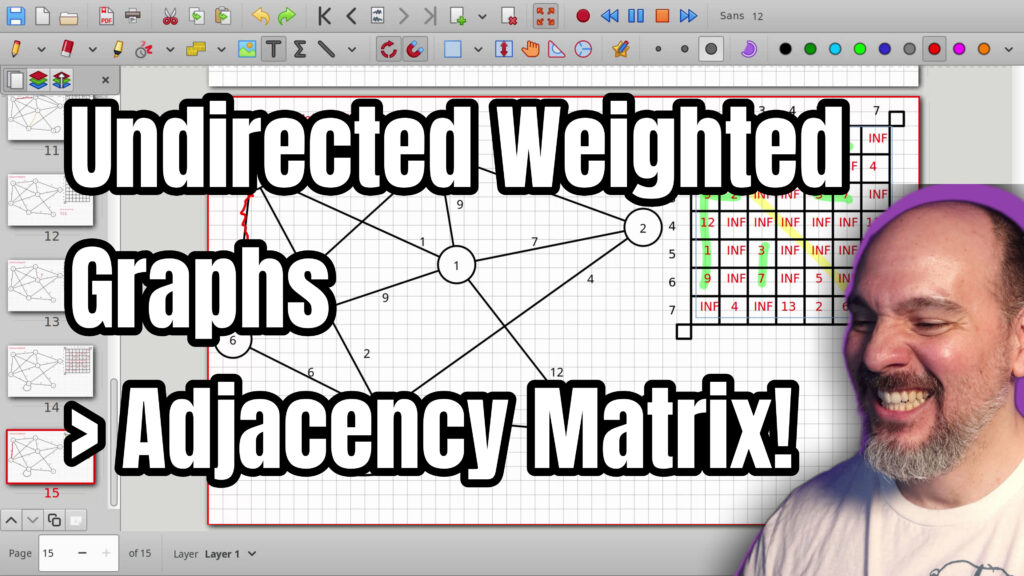

In this video we cover how to represent an undirected weighted graph with an adjacency matrix. You will see how to place edge weights into the matrix cells and why infinity is used for missing connections so that a real weight of zero stays available. Because the graph is undirected the finished matrix is symmetric across the identity line, which gives an easy way to check your work. We also look at self-connections and at practical ways to store infinity in code such as language sentinels, optionals, or null pointers. Accessing or updating any cell remains constant time, so adding or removing an edge is fast.
00:00 Introduction to Undirected Weighted Graphs
00:41 What Undirected and Weighted Means
01:08 Matrix is Constant Time Under the Hood
02:28 Starting to Fill the Adjacency Matrix
04:12 Using Infinity for No Connection
06:05 Filling the Matrix and Noticing the Mirror
08:24 Using the Mirror to Speed Up Filling
11:21 How to Represent Infinity in Code
14:09 Adding Self-Connections
15:46 The Mirror Along the Identity Line
18:21 Adding and Removing Edges in Constant Time
19:49 Conclusion and What’s Next
20:02 Subscribe and Outro
=-=-=-=-=-=-=-=-=
Thanks for watching!
Find us on other social media here:
- https://www.NeuralLantern.com/social
- Twitter / X: https://x.com/NeuralLantern
- Rumble: https://rumble.com/c/c-3696939
- BitChute: https://www.bitchute.com/channel/pg1Pvv5dN4Gt
- Daily Motion: https://www.dailymotion.com/neurallantern
- Minds: https://www.minds.com/neurallantern/
- Odysee: https://odysee.com/@NeuralLantern:5
Please show your support!
- Buy me a coffee: https://ko-fi.com/neurallantern
- Subscribe + Sharing on Social Media
- Leave a comment or suggestion
- Subscribe to the Blog: https://www.NeuralLantern.com
- Watch the main “pinned” video of this channel for offers and extras
Hey there! Let’s talk about how to represent undirected and weighted graphs
in your machine using an adjacency matrix.
A lot of words, right? Okay, so in the last video we talked about how to do an
adjacency matrix for an undirected and unweighted graph. Now we’re doing another
graph but it has weights on all the edges so it’s a weighted graph and we’re
going to learn how to do that in an adjacency matrix
learn how to do that in an adjacency matrix as well. If you haven’t watched the previous video
you probably should although I’m going to kind of do this from scratch anyway so I think you’ll be
okay if you don’t want to watch the other one. Okay so the first thing to understand is we have
undirected and weighted which means undirected says there’s no direction on any of the edges
you can see all the edges are just lines there’s no arrows. Weighted means there’s a cost to
traveling along every single edge.
So that’s why there are numbers on every single edge.
And then,
on every single edge and then we’re going to use a two-dimensional matrix to represent this graph
inside your machine like this is kind of how you would code a graph the first thing to understand
is that this two-dimensional matrix it’s really a one-dimensional matrix under the hood you know
we have like a i’m going to put like a pound sign for a number imagine we have a whole bunch of
numbers in a one-dimensional array we could reorganize those numbers if we wanted to
um,
with,
uh,
to um with i should have had one less number there and we could just reorganize those if we wanted to
to look two-dimensional but it still would be a you know what did i just do wrong i think oh i
have to hit this 100 thing what is going on here uh f11 oh i forgot to hit the full screen okay
so uh yeah we can represent this one-dimensional matrix sorry one-dimensional array as a
two-dimensional matrix. You can do this with any number of dimensions.
you can do this with any number of dimensions and what I’m really what I’m really trying to say is
that accessing any particular cell within the matrix even though it’s like you got to go down
you got to go to the right as a human the computer can still get there in constant time we’ll talk
about time complexities in a different video but just understand it’s very fast to just reach one
cell in the matrix and that’s true even for an n-dimensional matrix like 19 dimensions you can
still reach one cell in constant time. Super, super fast. Okay, so now let’s…
Okay, so now let’s try to figure out how we can fill out this matrix so that this graph is represented accurately in the machine.
So I’m going to get rid of maybe this first.
And so there’s no direction on this graph, which means it doesn’t really matter which node starts and which node ends.
You know, what’s the source and what’s the sink?
What’s the beginning and what’s the end or the finish or whatever you want to call it?
and we’re going to end up seeing a mirror in this matrix along the
mirror in this matrix along the identity line so just to let you know half of this matrix is kind
of wasted memory that’s okay but I’ll show you what I mean so what I like to do when I’m filling
these matrices out is I like to say that the start node is the row and the destination node is the
column I know I just said that that doesn’t matter which way you start so you can do it you know your
own way but for me I like to say that the row number starts because that helps me later when
and we add a direction to all the edges.
direction to all the edges so if i start at node one let’s uh here let me just highlight this real
fast if i start at node one and i say how do we fill this out well i’m just going to go into the
matrix and i’m going to say row one because that’s the start node and um column wherever it goes to
uh the one node right now i’m going to say that the nodes don’t connect to themselves
because i just want the option of a self-connect edge that you can see so right now there’s no loop
coming out of the one and then going back into the one we can add that later but for now i’m just
going to say by default there are no self-connects unless you see it in the diagram so the one node
going to the two node you can see that it does connect to the two node so in our unweighted
graph we just put a one to say there’s a connection or zero for no connection we have to upgrade this
now.
this now so because we can add a weight to every single edge that means it’s
totally possible that you might have an edge that has a weight of zero which
would mean representing no connection as zero doesn’t make as much sense anymore
so instead of a zero to say no connection because we could we could
have like negative numbers positive numbers we could say that an edge costs
nothing like if you’re using a graph to make a game with like decisions or
something maybe it doesn’t cost the character anything to go open the door
or whatever.
open the door or whatever let’s say that zero cost actually is infinity i’m going to say inf
maybe that’s going to get too big later infinity means no uh connection it means an infinity cost
and usually i like to say have you ever like gone to google maps and you said like how do i how do i
walk from florida to china and google maps is like well i don’t know if they do this now but a long
time ago they would say jump into the ocean and swim so you know
swim um so you know what’s going to happen you’re going to die so the cost is infinity you can’t get
there so if the cost is infinity you’ll never get there so infinity cost means no connection
is that a dumb joke uh leave a leave a comment anyway but uh the connection from one to two we
can see that it exists and there’s a seven right there so it costs seven to go from one to two or
from two to one um so i’m going to go uh to node number three so from one to three that is connected
it’s going to cost us nine.
connected it’s going to cost us nine from one to four um i see a connection it costs 12 can be
embarrassing if i notice an edge that doesn’t have a weight on it we go from one to five uh that is
connected and it seems to cost one and then if we go from one to six that also is connected it costs
nine i made these graphs too dense we go from one to seven there’s no connection there so the cost
is infinity because you can’t do it okay then we just repeat the process again and again and again
And if you’re going to do that, you’re going to have to do it in a different way.
the process again and again and again and eventually we’ll start to see a mirror show up
i’ll show you in a sec so going from two to one um two to one cost seven notice how there’s also
there’s already a little bit of a mirror happening right seven here and then seven down here
two going to two we’re gonna say again by default uh there’s no connection two to three uh that’s
a cost of two two to four no connection so infinity cost and then uh two to five
and then uh two to five getting lost already uh no connection i don’t think i see the connection
and then uh two to six uh nope so another infinity and then two to seven
uh yeah there is a connection and it costs four okay almost screwed that one up so then we just
say you know all the other nodes i’m going to continue from three to one uh that’s a cost of
Nine.
a cost of nine notice how from one to three was also a nine we’re starting to see the mirror the
mirror is kind of good for you know debugging your your your matrix after you make it um we won’t be
able to do that with directed graphs but for now we can three to two is a cost of two and uh three
to three will say no connection by default uh three to four um there’s no connection i don’t
think and then um three to five three to five there’s a
three to five there’s a three cost there there’s a weight of three three to six um yes with the
cost of seven and then three to seven um i don’t see a connection so i’m gonna put infinity cost
okay uh going from four to one notice the mirror it should cost twelve and then from four to two
four to four we’ll say no self connections by default infinity four to five
nope four to six uh nope and then four to seven yes at a cost of thirteen and do the same thing
all right for the five okay so the five um is connected to the one yes or no yes with the cost
of one to five.
I could just look at the mirror if I wanted to.
look at the mirror if i wanted to like like by the time you get further down in the graph here’s a
trick by the time i’m all the way down here at the five i can just start looking at the columns
i can say well what’s going on with column five i could just say well column five has a one in the
one row and then infinity in the next row and then a three in the next row after that and then
another infinity and i can i could double check this right now just to make sure but the five is
connected to the one at a cost of five, right? And then the five is not connected to the two.
is not connected to the two and the five is connected to the three with the cost
of three and it’s not connected to the four notice how that matches so the
further down I go the further I can sort of just look back at the previous rows
or the previous previously done columns so I don’t have to think which I just I
really like not having to think sometimes five and six I do like to
think it’s fun it’s gonna be five okay so then five to seven is going to be a
A two.
going to be a two and then we’ll move on so i’m going to do that trick again i’m going to look
at the six column and i’m just going to start copying stuff so we have like a nine and then
infinity and then seven oops seven and then infinity and then uh five and then i’ll just
double check it since this is supposed to be professional tutorial video um six going to nine
what what what no no six going to one is nine yeah six going to one is nine and then six does not go
to two and then six goes to three with seven yes and then six goes to does not go to four correct
six does not six goes to five with the cost of five okay so then i have to think now uh we’ll
say no self connections and then um uh six going to seven i see that there’s a cost of six there
okay we’re making progress um i’m going to duplicate this in case i screw it up
so now let’s look at the seven node so the seven node uh i’m just going to copy everything i’m
actually allowed to do that at this point and then i’ll double check it so look at the seven
column i’m going to put infinity and then four and then infinity and then 13 and then two
and then 6
and then six and then seven is not connected to itself then i’ll just double check this to make
sure that i’m okay so uh seven uh to one nope um seven to two that should cost four
yep seven to three nope correct seven to four thirteen seven to five costs two seven to six
cost six and then seven uh self-connection by default we say they are not connected okay so
we filled out an entire adjacency matrix maybe there’s something else i should mention too
before i forget um how do you represent infinity if uh we have a double value here so like if we’re
talking about actual code there’s a whole bunch of different ways to do it um like for instance
in javascript you could put man not a number uh there’s other ways to do infinity there and also
in C++ and Python.
C++ and Python. So you’ll have to look up doubles on your programming language of choice and find
out, is there a special value that represents infinity? The standards sometimes have special
values for these kinds of things. We call them sentinels. And if you can’t figure out what is
the sentinel for your particular language using doubles or integers or whatever, you could just
make one up like for instance if I was stuck using integers and whatever system I was using
and whatever system i was using there was no such thing as infinity for an integer a you know a
assigned integer then for me i would just say all right what’s the most negative the the least
possible value that i could ever represent in the negative number and i’ll call that infinity and
then i’ll just tell myself don’t ever set that as the weight maybe in my code i’ll say if there’s
no connection set it to that special sentinel value that special most negative value but
But otherwise, if the user
But otherwise, if the user of the code is trying to add an edge,
my code will just check to see if I’m accidentally using that sentinel
and then reject the edge if the user tries to do that.
So then the user just loses one number that they can assign
to the weight of an edge, but then you get the ability to do infinity.
Another cool thing that you can do now with C++ is called,
I think it’s called optionals.
You can basically do, I’m not going to do a C++ tutorial right now,
right now but you can look it up and you can say the template data type optional and then the token
type is integer or or or double and then the optional allows the value to exist or not so we
could say that there are optional integers or optional doubles all throughout the matrix and
when an edge doesn’t exist the optional will be null or not on or you know null or whatever you
You could also put pointers to integers or doubles.
You could say every time we fill something
you could say every time we fill something out in the matrix maybe this whole matrix is actually
just a matrix of pointers of double pointers or integer pointers every time we fill out a number
that particular pointer becomes like a real pointer to an actual you know integer or double
and every time we take away an edge we’ll just set that pointer to null there’s a whole bunch
of different ways you can do it but i just want you to know about a couple of them okay so before
we continue any further, I want to, is that a perfect duplicate, BTW?
duplicate but btw perfect why is it why is it like offset that’s so weird um i would like to
show you a self-connect so how do we do self-connects in this type of matrix
for starters we’re assuming that there are no self-connections by default in this particular
matrix in this particular diagram so that’s why i put infinity all along the identity line we’ll
talk about that in a second but um what if i wanted to suddenly
what if i wanted to suddenly add an edge i’m going to say let’s do uh seven connects to itself
and so now we’ll drop the assumption that all of the uh well we’ll keep the assumption we’re
gonna have a different assumption in a different video we’ll keep the assumption that there’s no
default self-connects but if i actually draw a self-connect now we could say that seven is
connected to itself which means we can just go to row 7 column 7 and give it whatever
and uh give it whatever weight we chose let’s do uh i don’t know let’s do like a four and then of
course i have to actually draw four there for the weight and so that’s how you can just do self
connects i’m going to duplicate this one more time and move it down um let’s see the other thing i
wanted to say oh what happened there did you see that i lost like a whole row
I gotta get rid of this
how do I do it
is that the
is that the rest of the no okay i’m not happy about this i’m not happy at all look at that
oh because i duplicated i duplicated the slab before i finished it okay so i guess it’s okay
so now we’re doing the fours okay um so i’m going to now
lose my train of thought entirely um oh i wanted to show you that there’s a mirror along the
Oh, I wanted to show you that there’s a mirror along the identity line.
Okay, so weighted makes this a little bit more complicated,
but undirected is what we did in the last video.
That’s kind of easy and kind of fun.
So watch your eyes real fast over the identity line here.
And I just mean like this diagonal line.
Is it going to highlight in green?
How can I get yellow back?
There we go.
So I’m going to highlight this diagonal, which is like the identity line,
meaning 1 to 1 and 2 to 2 and 3 to 3 and so forth if you just kind of like stare at that line long
enough you’ll realize that it’s a mirror because we have an undirected graph for example if you
see oh gosh i’ll keep the highlighter that’s kind of fun you see 7 9 12 1 and 9 in the one column
so like one is connected to 2 3 4 5 and 6 we could do the same thing by just flipping the rows in the
columns. So instead of column one, we’ll do
the columns so instead of column one we’ll do row one and then uh we’ll say that the the columns are
two three four five and six so notice how here it’s kind of a little mirror um if we look at
column three it’s got entries in nine and twelve and a whole bunch down here i guess well just
these two down here then we do row three and do the same thing for the columns notice how this
is also a mirror i’m drawing a mirror you can see right tilt your head it’s a mirror
tilt your head it’s a mirror another joke that i like to make i’m so sorry if you just heard me say
this it kind of looks like cheesy broccoli right and i hate cheesy broccoli because it tastes so
good but it makes your broccoli into junk food again i’m not eating broccoli for fun okay i’m
eating it to try and be healthy and i don’t want to turn it back into junk food and then i have
to eat something else healthy i have it’s it’s because i have i have i have i have family members
I’m not going to tell you who they are but I have family members
family members who just push cheesy broccoli on everyone and then every time we go somewhere
or we meet up or whatever it’s just like
stop trying to convince me that cheesy broccoli is a cool thing i don’t agree
give me plain broccoli all right anyway so we have an identity line there um we’ve done a
two-dimensional matrix we’ve done uh undirected and weighted and we’re at about 20 minutes for
this video already. So now
you know how to make an undirected weighted graph.
now you know how to make an undirected weighted graph and an undirected unweighted graph you watch
the other video with an adjacency matrix maybe one final thing i want to say in this particular
video before we’re finished this is lightning fast to add an edge or remove an edge remember
i said before we could represent this uh this is really a one-dimensional array under the hood
right but we can represent it to look like a two-dimensional array or an n-dimensional array
that means this is just as fast to access a cell as it would be in a one-dimensional
as it would be in a one-dimensional array which is constant time which is incredibly fast
so if you want to add an edge or remove an edge you just have to change a cell i think we just
added an edge going from seven to seven so we know how to add an edge we just go to the appropriate
row and column but what if you want to remove an edge i guess i almost forgot that too let’s do
remove the edge from the five to the six let’s kill this edge right what what do we actually do
We go to row 5.
we go to row 5 and column 6 and we change that 5 to an infinity to say that the edge no longer
exists and then do the same thing for the column 5 column 5 uh row number 6
uh is going to be infinity saying meaning there’s nothing there anymore so to add an edge we just
went to a cell and modified a value to remove an edge we did the same thing that’s going to be
incredibly fast. It’s going to be
that’s going to be incredibly fast it’s going to be constant time we’re going to talk all about
like the pros and cons in terms of time complexity of adjacency matrices matrices in a future video
but for now i think that’s pretty good thank you so much for watching this video i hope you learned
a little bit of stuff and had a little bit of fun i’ll see you in the next video we’re going to do
directed graphs unweighted and then weighted nice sorry
hey everybody thanks for watching this video again from the bottom of my heart i really
Really appreciate it.
video again from the bottom of my heart i really appreciate it i do hope you did learn something
and have some fun if you could do me a please a small little favor could you please subscribe
and follow this channel or these videos or whatever it is you do on the current social
media website that you’re looking at right now it would really mean the world to me and it’ll
help make more videos and grow this community so we’ll be able to do more videos longer videos
better videos or just i’ll be able to keep making videos in general so please do do me a kind
Please, do me a kindness and subscribe.
You know, sometimes I’m sleeping in the middle of the night
and I just wake up because I know somebody subscribed or followed.
It just wakes me up and I get filled with joy.
That’s exactly what happens every single time.
So you could do it as a nice favor to me
or you could troll me if you want to just wake me up in the middle of the night,
just subscribe, and then I’ll just wake up.
I promise that’s what will happen.
Also, if you look at the middle of the screen right now,
you should see a QR code which you can scan
in order to go to the website which
in order to go to the website which i think is also named somewhere at the bottom of this video
and it’ll take you to my main website where you can just kind of like see all the videos i
published and the services and tutorials and things that i offer and all that good stuff and
if you have a suggestion for uh clarifications or errata or just future videos that you want to see
please leave a comment or if you just want to say hey what’s up what’s going on you know just send
me a comment whatever I also wake up for those in the
whatever. I also wake up for those in the middle of the night. I get, I wake up in a cold sweat
and I’m like, it would really, it really mean the world to me. I would really appreciate it. So
again, thank you so much for watching this video and, um, enjoy the cool music as,
as I fade into the darkness, which is coming for us all.
Thank you.